
What's New
v1.5
May 15, 2026
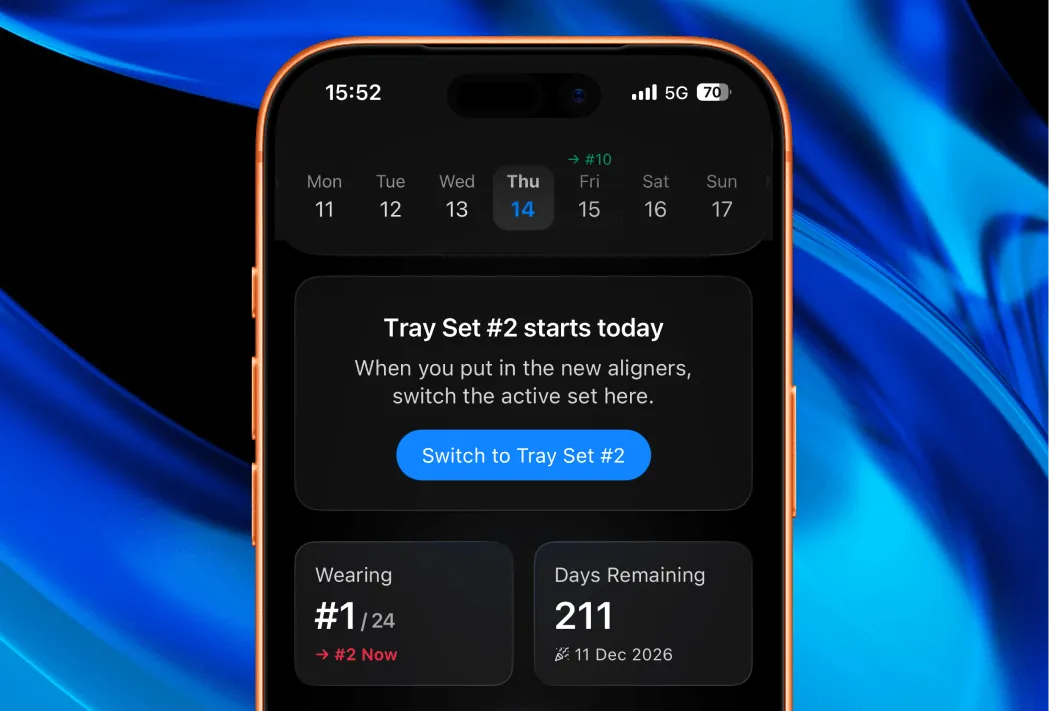
Support for Multiple Tray Sets
You can now switch to the new tray set without restarting the entire journey.
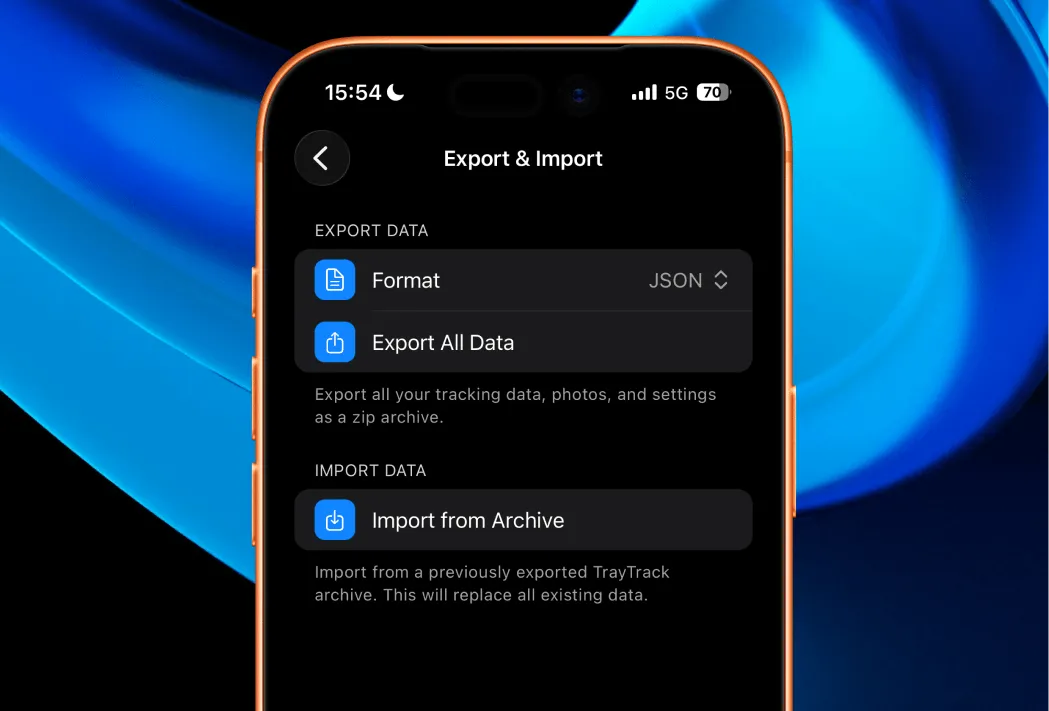
Export & Import All Data
Now you can export all the raw data from TrayTrack in JSON or CSV format. Exported archive also includes all the photos. Additionally, you can import your archive back and restore the state of the app.
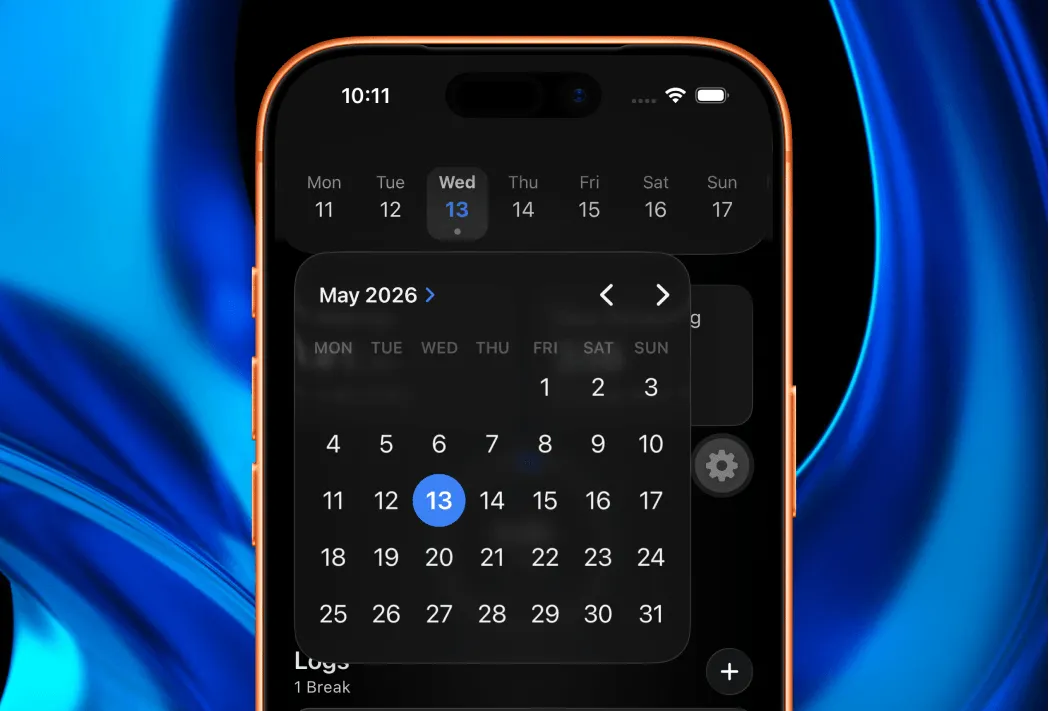
Switch to Any Date
You can select any date on the timeline by using built-in calendar.
Other Fixes and Improvements
This release also includes extra fixes and improvements, including:
- When adding a photo, front camera opens by default and you can now easily flip your photos when saving.
- General stability and performance improvements.
v1.3
February 13, 2026
Alarm-Style Break Reminders
Break reminders can now appear as alarms instead of notifications. This is the new default and can be configured in the options menu when setting a break reminder. You can switch back to notification-style reminders at any time.
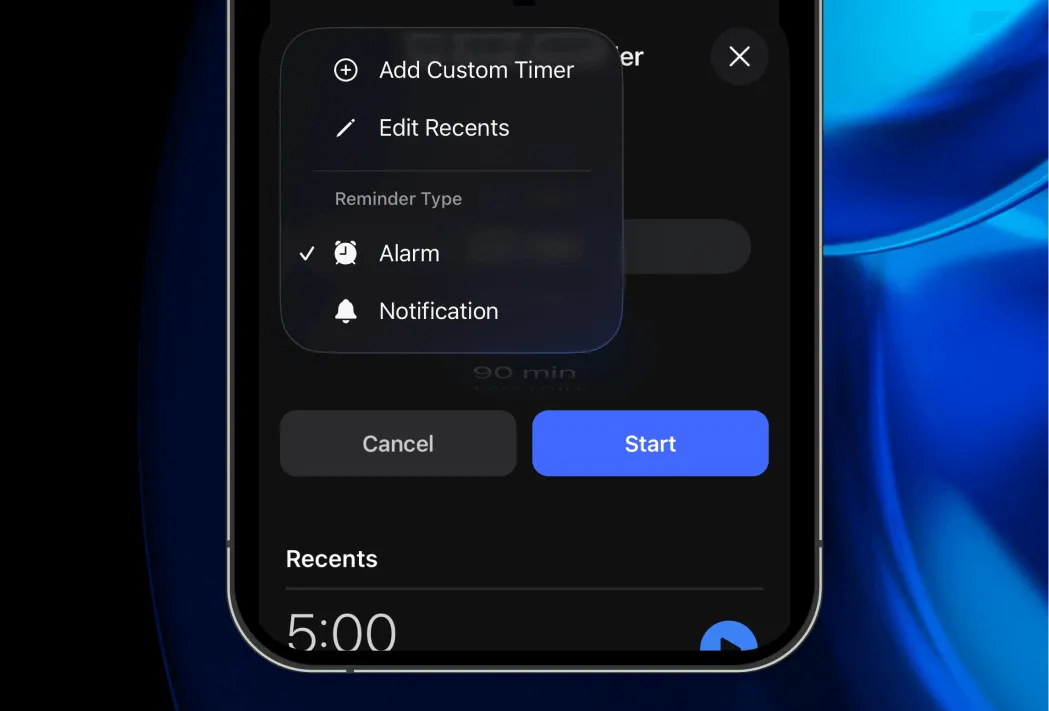
The alarm option is only available on iOS 26 or newer.
Watch App
Major improvements to the Apple Watch experience:
- Add Break: Forgot to track a break? You can now quickly log one retroactively. Tip: this is also possible on iPhone by tapping the break budget circle.
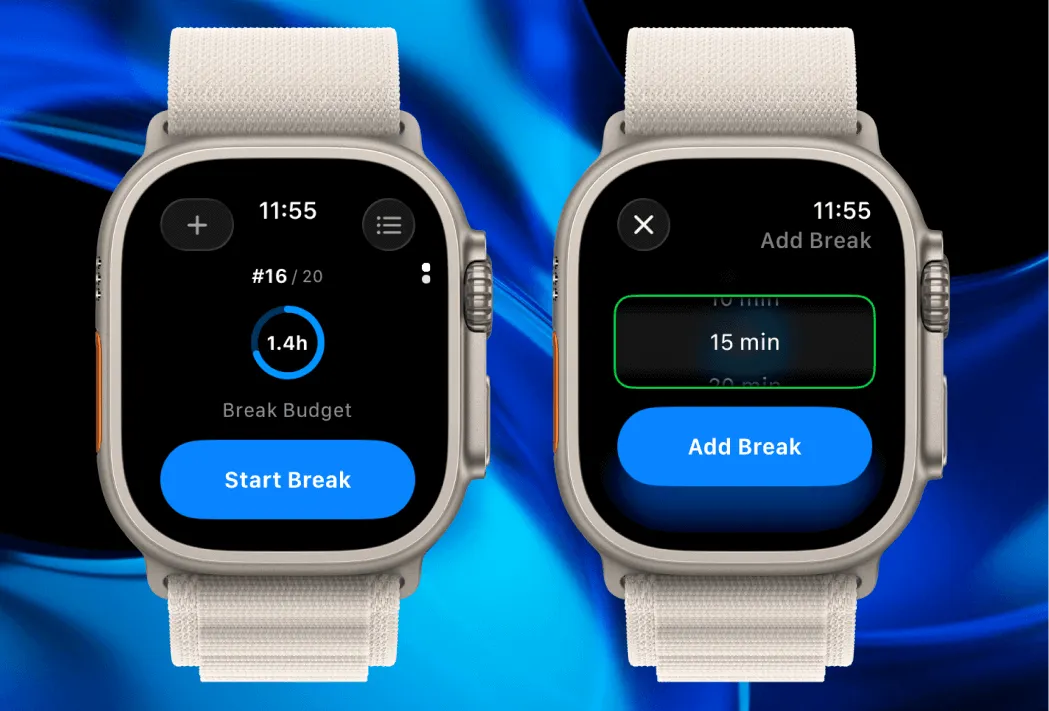
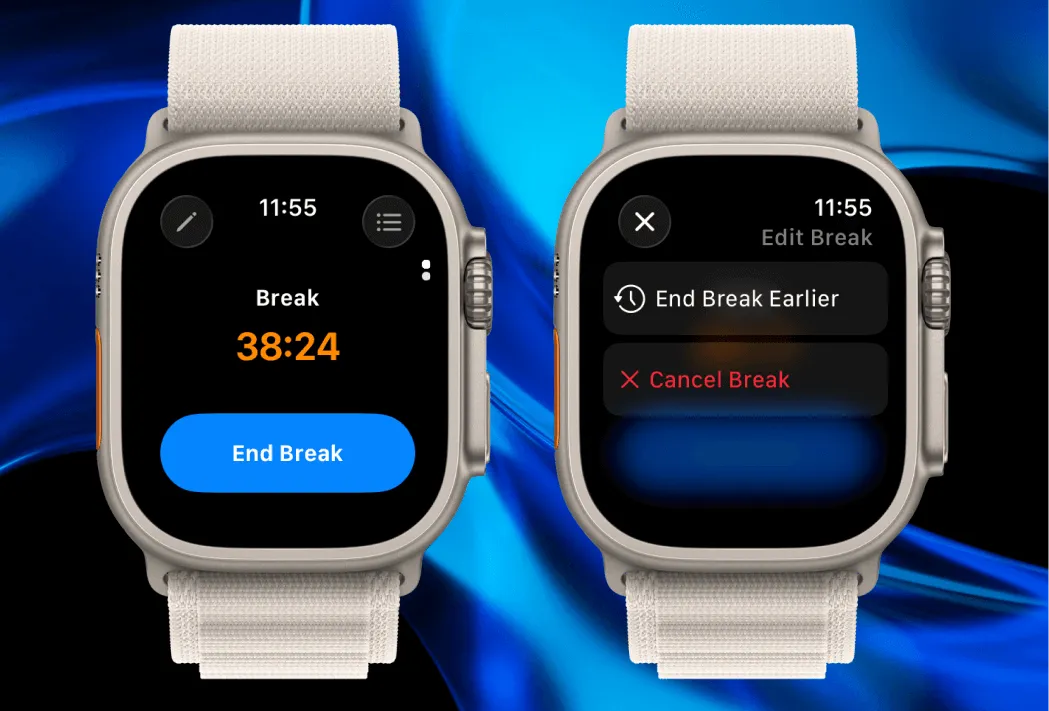
- End Break Early: Forgot to end a running break? You can now end it at an earlier time, similar to iPhone.
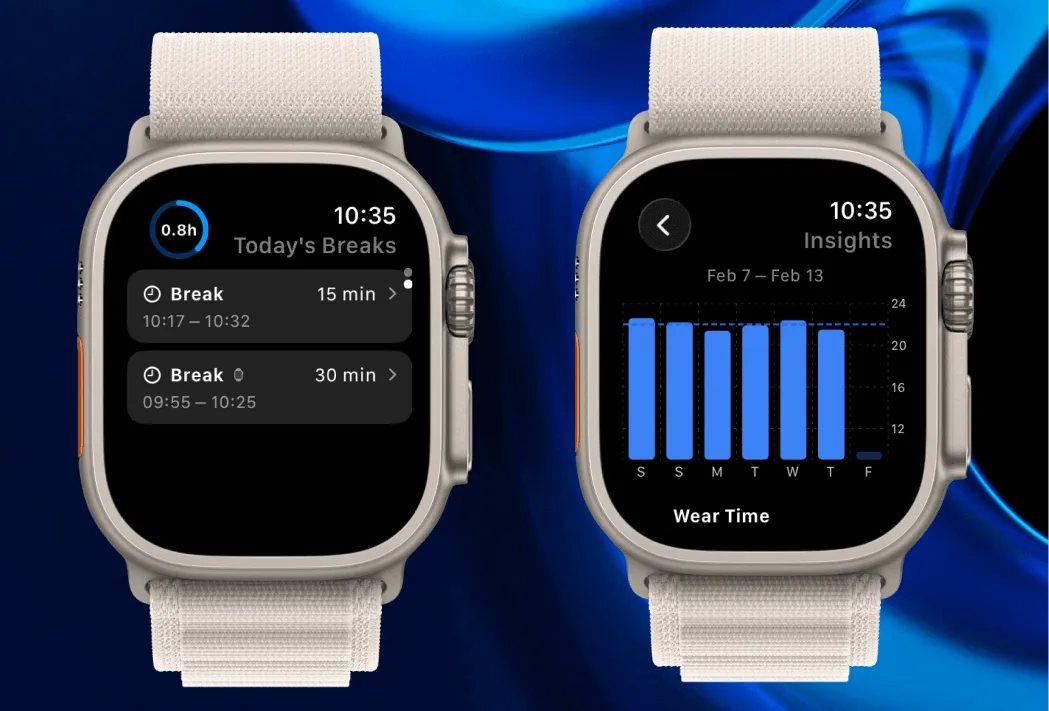
- Today’s Breaks: Scroll down on the watch home screen to see and edit today’s break logs.
- Timeline: View the full timeline of all trays, same as on iPhone.
- Insights: Get a quick glance at your last 7 days of stats.
Other improvements
In addition to fixing various bugs, the new version also includes:
- The over-budget color was changed to a subtler shade of orange, so it’s easier to distinguish from a running timer at a glance.
- Improved formatting of break durations. Seconds are now only shown for breaks under a minute.
- Progress photo reminders now send follow-ups if you miss the initial reminder.